To avoid audio dropouts and lag on your treadmill, keep your device close, ideally within a few feet, and minimize other active Bluetooth connections nearby. Ensure your device is discoverable during pairing and update your treadmill firmware and Bluetooth drivers regularly. Test your audio setup before workouts and reset your Bluetooth connection if issues happen. Making these adjustments can markedly improve your experience — explore more tips to enhance your setup.
Key Takeaways
- Keep your device close to the treadmill and minimize other Bluetooth connections to reduce interference.
- Regularly update your treadmill firmware and Bluetooth drivers for optimal compatibility.
- Use high-quality Bluetooth transmitters with low latency to ensure stable audio streaming.
- Re-pair devices if dropouts occur, and reset Bluetooth connections to restore stability.
- Test and calibrate audio settings before workouts, adjusting volume and equalizer to prevent lag or distortion.
Setting up the audio system on your treadmill can considerably enhance your workout experience. Whether you’re listening to your favorite playlist or following an online class, good sound quality keeps you motivated and focused. To do this effectively, you need to understand how to optimize Bluetooth connectivity and ensure proper audio calibration. These two factors play a pivotal role in avoiding dropouts and lag, which can ruin your workout flow.
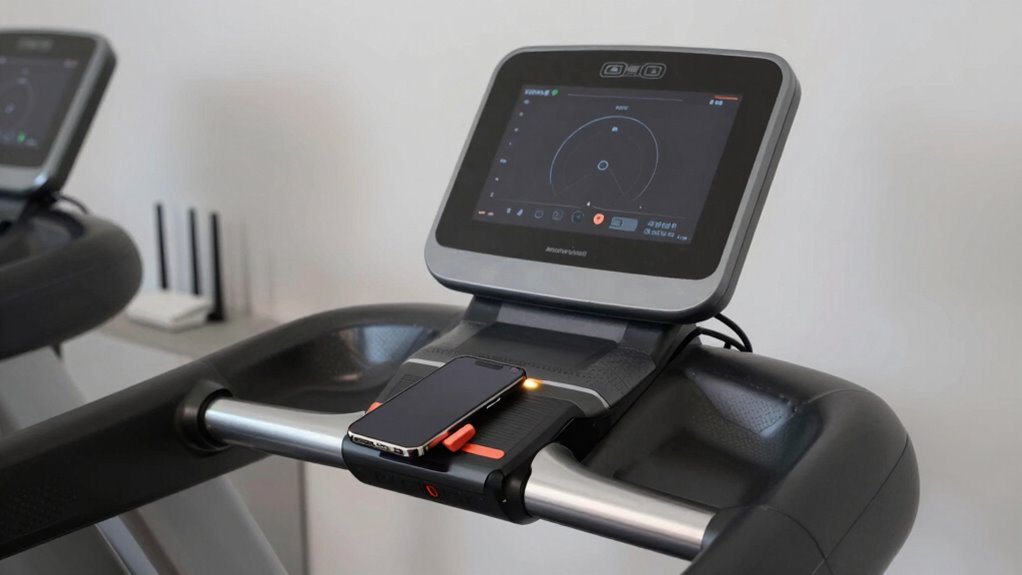
First, make sure your treadmill’s Bluetooth connection is stable. Many modern treadmills come equipped with Bluetooth that allows you to pair your device directly. Keep your device close to the treadmill, ideally within a few feet, to prevent signal loss. Interference from other electronic devices can also cause disruptions, so try to minimize the number of active Bluetooth connections nearby. When pairing, ensure your device is discoverable and that you select the correct treadmill audio system from the list. Once connected, test the audio to confirm it’s stable before starting your workout.
Ensure your treadmill’s Bluetooth is stable by keeping devices close and minimizing interference.
Audio calibration is equally important. Proper calibration ensures that sound is clear and synchronized with your treadmill’s speakers or connected headphones. Some treadmills have built-in calibration settings; if yours does, follow the manufacturer’s instructions to optimize sound quality. If not, you can manually calibrate by adjusting volume levels and equalizer settings on your device or treadmill interface. Start with a moderate volume and gradually increase it until you find the perfect balance—loud enough to hear clearly without distortion. If your treadmill allows, tweak the bass, treble, and midrange settings to suit your preferences. This step helps eliminate lag or echo, ensuring the audio feels natural and responsive.
Regularly updating your treadmill’s firmware and your device’s Bluetooth drivers is another essential step. Outdated software can lead to connectivity issues, causing dropouts or lag during your workouts. Check the manufacturer’s website or app for updates and install them promptly. Also, consider resetting your Bluetooth connection if you encounter persistent problems—disconnect and then re-pair your device to establish a fresh, stable link. Additionally, understanding the importance of device compatibility can help prevent many connectivity issues, as some devices may work better with specific Bluetooth versions or profiles.
Finally, if you experience lag or dropouts despite these efforts, think about switching to wired audio options or using high-quality Bluetooth transmitters designed for low latency. These devices transmit audio with minimal delay, keeping the sound perfectly synchronized with your movements. By paying attention to Bluetooth connectivity and audio calibration, you can enjoy seamless, high-quality sound that motivates you through every stride. Proper setup not only improves your workout but also makes it more enjoyable and less frustrating.
Frequently Asked Questions
Can I Connect Multiple Devices to My Treadmill Audio System Simultaneously?
Yes, you can connect multiple devices to your treadmill audio system through multi-device pairing, but it may affect audio synchronization. When you pair more than one device, verify your treadmill supports this feature. Keep in mind that audio lag or dropouts might occur if the devices aren’t perfectly synchronized. To avoid issues, connect fewer devices at a time or use a Bluetooth transmitter that supports multiple connections for smoother audio experience.
What Is the Ideal Bluetooth Range for Stable Treadmill Audio Connections?
You want your treadmill audio to stay clear, steady, and strong. The ideal Bluetooth range for stable connections is typically around 33 feet, but beware of Bluetooth interference and weak signal strength that can cause dropouts or lag. Keep your device within this range, minimize obstacles, and avoid other electronic interference. This way, you guarantee seamless sound, motivating your workout without interruption or frustration.
How Do I Update My Treadmill’s Firmware for Better Audio Performance?
To improve your treadmill’s audio performance, you should update its firmware regularly. Check the manufacturer’s website or app for firmware updates, which often enhance audio compatibility and fix bugs causing dropouts or lag. Download the latest version, follow the instructions carefully, and install the update using your treadmill’s interface or connected device. Keeping firmware current guarantees smoother audio playback and better overall compatibility with your Bluetooth devices.
Are There Specific Audio Formats That Work Best With Treadmill Bluetooth?
You might find that AAC and SBC audio formats work best with your treadmill Bluetooth, thanks to better codec compatibility and stable Bluetooth profiles. These formats tend to deliver smoother sound without dropouts or lag. When streaming, stick to devices supporting these codecs, and verify your treadmill’s Bluetooth profile is up-to-date. Coincidentally, using compatible formats and profiles can make your workout more enjoyable with reliable audio performance.
How Can I Troubleshoot Persistent Audio Dropouts During Workouts?
To troubleshoot persistent audio dropouts during workouts, first check for audio interference from other wireless devices nearby. Make certain your treadmill’s Bluetooth connection is stable by resetting the connection—turn it off, then back on. If issues persist, move closer to the treadmill or remove obstacles. These steps help prevent connection resets, reduce interference, and maintain a consistent audio stream, so your workout stays enjoyable without interruptions.
Conclusion
Now that you’ve fine-tuned your treadmill audio, your workouts will flow like a smooth melody, free from pesky dropouts and lag. Think of your setup as a well-conducted orchestra, where every note plays seamlessly in harmony. Keep your connections tight and your devices in sync, and you’ll enjoy a soundtrack that moves with you—powerful, steady, and rhythmically perfect. With these tips, your music will be your constant companion, guiding every stride with clarity and grace.