To use your smartwatch’s flashlight feature without breaking rhythm, quickly access the flashlight through the quick settings or app. Familiarize yourself with the icon for easy activation, allowing you to turn it on with just a couple of taps. Adjust the brightness to save battery life for extended use, and incorporate night mode for eye comfort. Knowing these functions in advance can streamline your experience, and there’s still more to explore about enhancing your nighttime adventures.
Play games included with Prime
Start a Prime free trial and play with Amazon Luna on your devices.
As an affiliate, we earn on qualifying purchases.
Key Takeaways
- Familiarize yourself with the smartwatch interface to quickly locate the flashlight feature without distraction.
- Practice accessing the flashlight in low-light conditions to enhance muscle memory for efficient use.
- Adjust brightness settings beforehand to ensure optimal visibility while conserving battery life.
- Activate night mode to reduce glare and maintain focus during nighttime activities.
- Customize flashlight settings for quick access to preferred functions, ensuring seamless operation in emergencies.
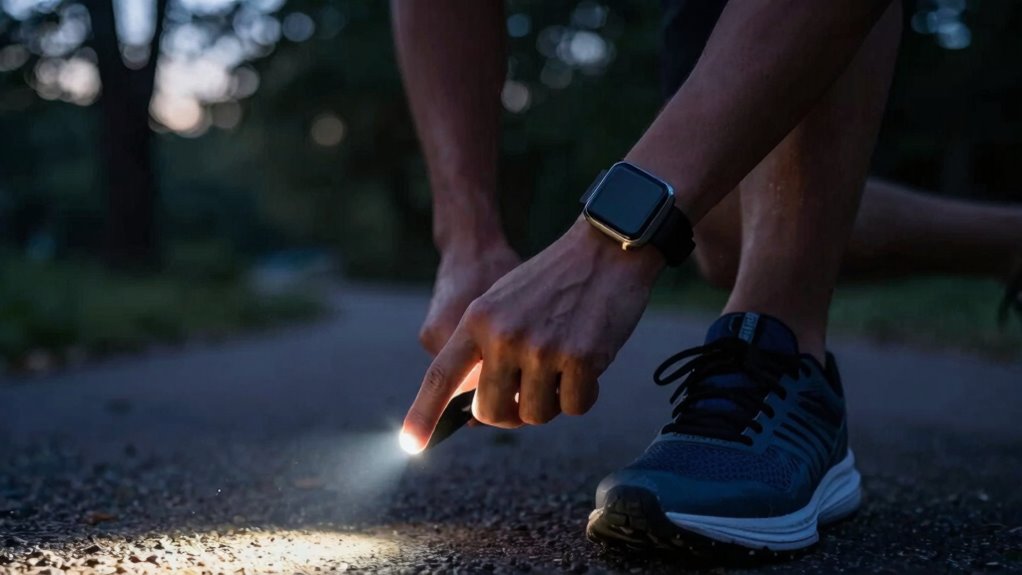
Whether you’re exploring a dark path or searching for something in a dimly lit room, your smartwatch’s flashlight feature can be a handy tool. It’s not just a gimmick; it’s designed to provide illumination when you need it most. To make the most of this feature without breaking your rhythm, let’s delve into how to effectively use it.
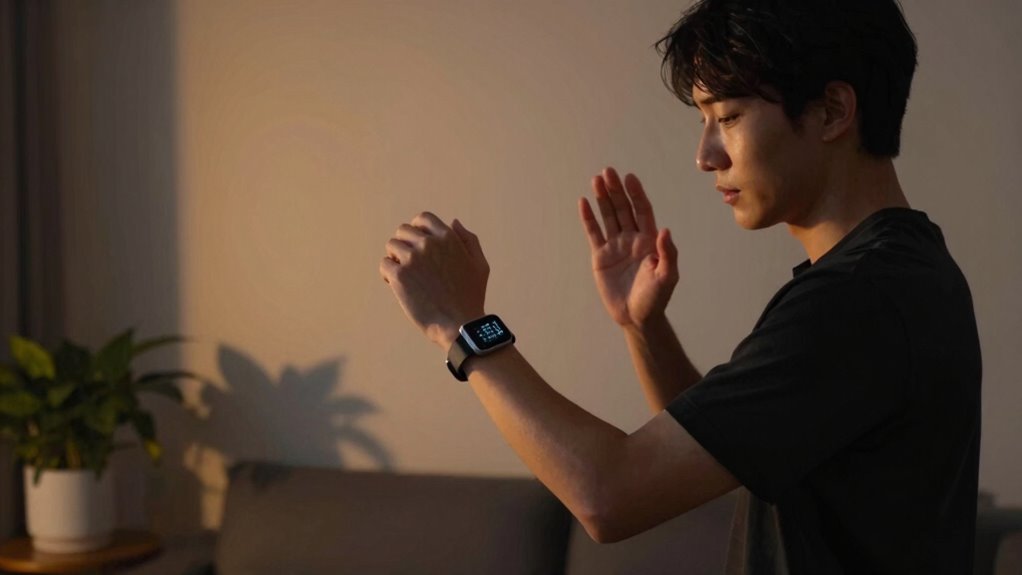
First off, familiarize yourself with the user interface of your smartwatch. Most models have a straightforward way to access the flashlight function, often found in quick settings or a dedicated app. You might find an icon resembling a flashlight or a simple toggle switch. With just a couple of taps, you can activate it, so you don’t have to fumble around in the dark.
Familiarize yourself with your smartwatch’s user interface to easily access the flashlight feature, ensuring you’re never left in the dark.
Once you’ve turned on the flashlight, pay attention to the brightness settings. Many smartwatches allow you to adjust the intensity of the light. While a full blast is great for maximum visibility, it can drain your battery quicker than you’d like. If you’re trying to conserve battery for longer outings, consider using a lower brightness setting. Battery management is essential, especially if you rely on your smartwatch for more than just lighting. Understanding the battery life of your device can help you plan its use more effectively during extended outings. Being aware of power consumption can help prevent unexpected battery drain when you need the flashlight most.
If you’re out at night, check if your smartwatch has a night mode. This feature can help reduce the harshness of the light, making it easier on your eyes while still providing adequate illumination. Night mode often adjusts the brightness automatically based on the surrounding light conditions, allowing you to navigate without disturbing your night vision. Understanding the smart home tips can also help you find ways to integrate your device for more efficient use. Additionally, being aware of your device’s battery life can help you plan its use more effectively during extended outings. Incorporating power management strategies can further extend your device’s usability in low-light situations.
For emergency use, the flashlight function is invaluable. Whether you need to signal for help or find your way back to safety, having quick access to this feature can make a significant difference. Some smartwatches even integrate directly with emergency apps, allowing you to activate alerts or send your location while keeping the flashlight on.
App integration can enhance your experience as well. Some smartwatch apps allow you to customize how the flashlight behaves, whether it’s with strobe settings for emergencies or consistent light for everyday use. Take a moment to explore these options; they might offer features you never knew were there.
With these tips, you’ll be able to use your smartwatch’s flashlight feature efficiently and intuitively, ensuring you’re prepared for any low-light situation without losing your flow or focus.
As an affiliate, we earn on qualifying purchases.
Frequently Asked Questions
Can I Customize the Flashlight Brightness on My Smartwatch?
Yes, you can customize the flashlight brightness on your smartwatch. Just head to the flashlight settings in your device’s menu. There, you’ll find options for brightness adjustment. You can usually toggle between different levels or even set it to automatic, depending on your model. Experiment with the settings until you find the right brightness that suits your needs. This way, you’ll have the perfect light without straining your eyes.
Does Using the Flashlight Drain My Smartwatch Battery Quickly?
Using the flashlight on your smartwatch won’t drain the battery like a black hole! While flashlight usage does consume power, it’s manageable with good battery management. If you’re using it sparingly, your battery should hold up just fine. To maximize lifespan, consider dimming the brightness or limiting usage during long activities. Keeping an eye on your battery level guarantees you won’t be left in the dark when you need it most!
Is the Flashlight Feature Available on All Smartwatch Models?
No, the flashlight functionality isn’t available on all smartwatch models. Some brands include it as a handy feature, while others focus on different functionalities. To check your smartwatch compatibility, consult the user manual or the manufacturer’s website. If your model supports it, you’ll likely find the flashlight option in the settings or quick access menu. This can be a useful tool, especially in low-light situations when you need to see clearly.
Can I Use the Flashlight While Tracking Workouts?
Yes, you can use the flashlight while tracking workouts. It’s a great way to enhance visibility and guarantee workout safety, especially during low-light conditions. You might find yourself jogging through a dimly lit path when suddenly, you need a bit more light. Just activate the flashlight feature without interrupting your workout. This little coincidence can boost your confidence and keep you safe while you focus on your routine.
How Do I Turn off the Flashlight Feature Quickly?
To quickly turn off the flashlight feature, swipe down on your smart watch’s user interface to access the control panel. Look for the flashlight icon and tap it to deactivate. If you’ve set up flashlight shortcuts, you can also press the designated button on your watch. This way, you’ll maintain your rhythm without fumbling around. Remember, getting familiar with these shortcuts will make it even easier to manage the flashlight in the future!
Conclusion
So, you’ve learned how to use your smart watch flashlight without losing your groove. You might think it’s just a gimmick, but studies show that having steady lighting can actually improve focus and productivity. By seamlessly integrating this feature into your routine, you not only enhance visibility but also maintain your rhythm. Next time you need a little light, remember: it’s not just a tool; it’s a way to elevate your experience and keep you in the zone.
Fall Picks
fall essentials
As an affiliate, we earn on qualifying purchases.