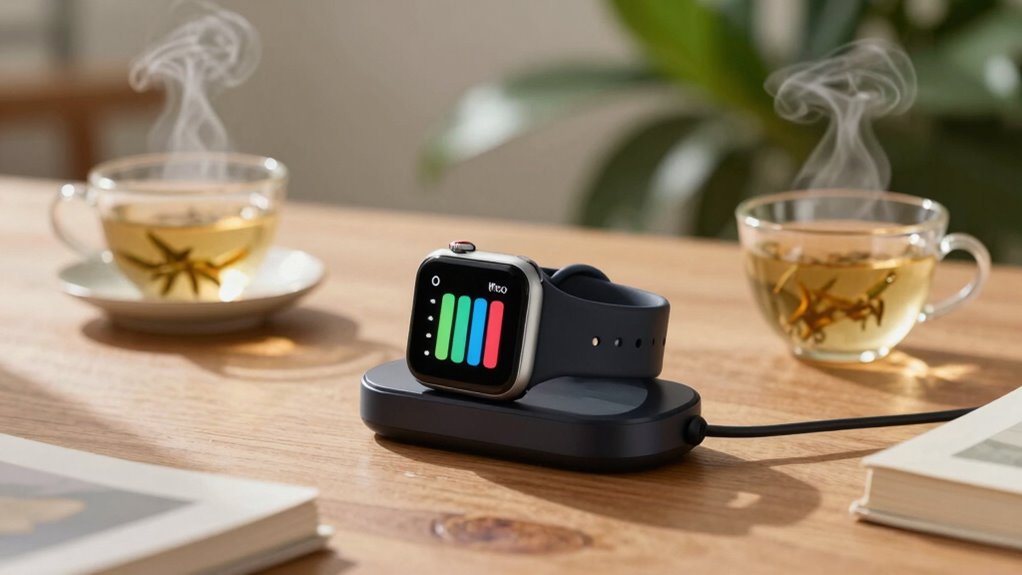

To prevent dead-battery stress, establish a consistent charging routine for your smartwatch. Charge it overnight for a full battery in the morning and plug it in when it dips to around 30%. Avoid extreme temperatures and always use a quality charger to guarantee steady performance. Keeping the battery between 20% and 80% helps prolong its lifespan. By following these simple steps, you can enjoy a reliable watch experience that lasts. There’s more to explore on maintaining your smartwatch’s battery health!
Key Takeaways
- Charge your smartwatch overnight to ensure a full battery for the next day, preventing unexpected low battery situations.
- Plug in the watch when the battery reaches around 30% to stay within the optimal 20%-80% charge range.
- Avoid extreme temperatures during charging; a cool, dry environment promotes better battery health and longevity.
- Invest in quality chargers with features like overcharge protection to avoid damage and ensure reliable performance.
- Regularly monitor battery levels and establish a consistent charging routine to prevent dead-battery stress.

When you rely on your smartwatch for everything from tracking workouts to receiving notifications, establishing an efficient charging routine is vital. A reliable charging schedule not only keeps your device powered but also helps maintain the battery’s health, ensuring it lasts longer. You don’t want to find yourself in a situation where your watch dies right before an important meeting or workout.
To start, identify the best time to charge your smartwatch. Many people find it convenient to charge their devices overnight. This way, you wake up to a fully powered watch, ready for the day ahead. However, if you prefer to charge during the day, consider doing it while you’re at home or at your desk. Just make sure you don’t leave it charging unattended for too long. Overcharging can lead to battery degradation, which is something you want to avoid in your battery maintenance routine.
Identify the best time to charge your smartwatch, whether overnight or during the day, to ensure optimal performance and battery health.
Another smart charging tip is to avoid letting your battery drain completely. Lithium-ion batteries, which power most smartwatches, perform best when they’re kept between 20% and 80% charged. If you habitually let your watch drop to 0%, you could be shortening its lifespan. Instead, try to plug it in when it hits around 30%. This small adjustment can make a significant difference in how long your battery lasts. Additionally, keeping your device within the optimal charge range can help prevent unnecessary battery wear. Proper battery management is essential for maintaining long-term battery health. Being aware of battery health can help you extend the lifespan of your device’s power source.
Moreover, be mindful of the environment in which you charge your smartwatch. Extreme temperatures can negatively impact battery performance. Avoid charging in hot or cold conditions, as this can strain the battery and lead to faster deterioration. Look for a cool, dry place to charge your device, which will contribute to better battery maintenance over time. Proper battery environment is essential for longevity.
Lastly, consider investing in a quality charging dock or pad. Cheap chargers might save you a few bucks upfront, but they can harm your watch in the long run. A reliable charger will not only provide a steady current but also include features like overcharge protection, which is essential for maintaining battery health.
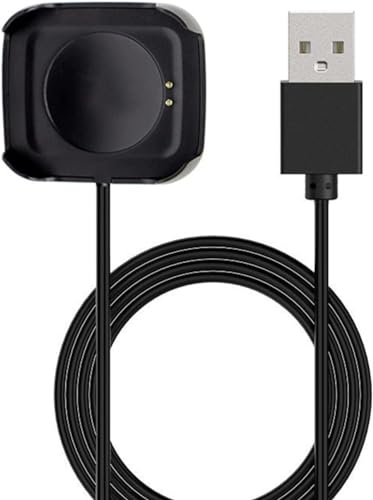
Charger Power Adapter for HW18 Smart Watch Charging Cable Dock Bracket Holder Anti-Interference Charging Dock Station Magnetic USB Compatible with HW18 Smartwatch Portable Lightweight
Applicable Model: This 30cm cable charger is designed specifically for the HW18 smartwatch charging cable. Please confirm your…
As an affiliate, we earn on qualifying purchases.
As an affiliate, we earn on qualifying purchases.
Frequently Asked Questions
How Often Should I Charge My Smartwatch for Optimal Battery Life?
To optimize your smartwatch’s battery life, charge it regularly but avoid overcharging. Aim for daily or every other day charging, depending on your usage. Good battery management means monitoring your charging habits; don’t let it drop below 20%. If you notice drain rates increase, consider adjusting your settings or reducing app use. By maintaining a consistent charging routine, you can keep your watch performing well without stressing about battery life.
Can I Use Any Charger for My Smartwatch?
Using any charger for your smartwatch is like trying to fit a square peg in a round hole; it just won’t work. You need to check smartwatch compatibility first. Different charger types, like magnetic or wired, might not be interchangeable. Using the wrong charger can damage your device or slow down charging. Stick with the manufacturer’s recommended charger to keep your smartwatch running smoothly and guarantee its battery lasts longer.
What Temperature Is Best for Charging My Watch?
The ideal charging temperature for your watch is between 32°F and 113°F (0°C to 45°C). Charging outside this range can affect battery performance and lifespan. If it’s too cold, your watch might not charge efficiently, while excessive heat can lead to overheating, potentially damaging the battery. Always aim to charge your watch in a temperature-controlled environment to guarantee it functions well and lasts longer.
Will Overnight Charging Damage My Smartwatch Battery?
You’re in for a treat if you think overnight charging’s a recipe for disaster; it’s not. Most smartwatches are designed to handle it, but it’s wise to follow some battery longevity tips. Charging myths suggest that leaving it plugged in damages the battery, but modern technology has safeguards against overcharging. Just avoid extreme temperatures, and your watch will thrive, letting you rest easy without worrying about a drained battery come morning.
How Do I Know if My Watch Battery Is Degrading?
You can tell your watch battery is degrading by watching for warning signs like decreased battery performance and shorter usage periods. If your watch struggles to hold a charge or shuts down unexpectedly, it’s a clear indicator. Additionally, if you notice that it takes longer to recharge, that’s another red flag. Regularly monitoring these signs can help you decide when it’s time to replace the battery to keep your watch functioning effectively.

VBANU VeryFit Smartwatch Charger, Fit for ID208, GTX20, IDW13/15/16/17, IDW19/20/25/26/28 and More, Replacement Magnetic USB Cable for Fast and Easy Charging, 3.3 ft, (ID-Cable)
【Fit for】This smart watch charging cable could be used for the models like ID208(BT/Plus), GTX20, IDW28, IDW26, IDW25,…
As an affiliate, we earn on qualifying purchases.
As an affiliate, we earn on qualifying purchases.
Conclusion
Just like a gardener tends to their plants, nurturing them with water and sunlight, you should cultivate a consistent watch charging routine. By doing so, you’ll keep your watch thriving, free from the anxiety of a sudden dead battery. Embrace this ritual as your daily dose of care, ensuring your trusty timepiece is always ready for life’s adventures. With each charge, you’re not just powering a device; you’re fostering a reliable companion for your journey ahead.

JOREST Watch Repair Kit for Battery Replacement & Link Removal, Resizing &Opener, Watch Repair and Cleaning Screwdriver Set, Wrench Back Remover, Spring Bar Tool
【Watch repair tool kit】- JOREST watch repair tool kit contains common tools required for repairing watches, suitable for…
As an affiliate, we earn on qualifying purchases.
As an affiliate, we earn on qualifying purchases.
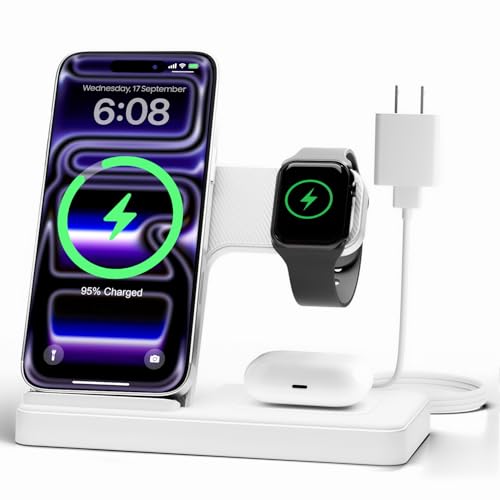
Wireless Charger Stand Charging Station: 3 in 1 Charger Stand Multiple Devices for Apple – iPhone 17 16e 16 15 14 Pro Max 13 12 – Watch 11 10 9 8 7 6 5 4 3 2 SE and Ultra Series-Airpods 4 3 Pro, White
3 in 1 Wireless Charger Station: This 3-in-1 wireless charger is designed to work seamlessly with a variety…
As an affiliate, we earn on qualifying purchases.
As an affiliate, we earn on qualifying purchases.